// data lakes and query engines · 21 November 2026 · 6 min read
Register Iceberg tables in a Postgres catalog for faster Trino queries
A small Postgres database, two tables and one row per Iceberg table took my Trino lookups from 13 seconds to under one.
 Muhammad MairajSenior Backend Engineer
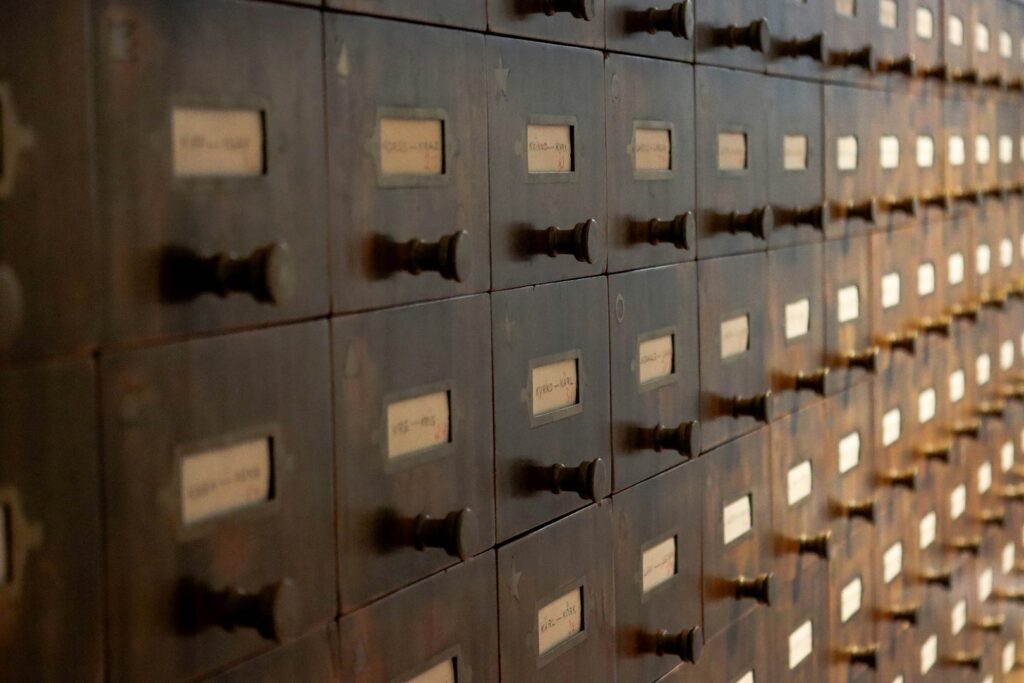
If your Trino reads Iceberg tables through a hosted REST catalog that lives in another region, a big share of your query time may be spent asking that catalog where each table is. You can stop asking. Register the tables in a Postgres catalog next to Trino, and the lookups become local reads. No data moves, and nothing is written to your lake.
This is the step-by-step version of the fix from making a Trino lake as fast as a SQL database. On a 25-table query it cut Trino’s analysis step from about 13 seconds to 0.8, with identical results.
Is this your problem?
Trino records how long each query spent in each phase. Run your slow query, then look at its analysis time:
SELECT query_id,
       analysis_time_ms,
       planning_time_ms,
       date_diff('millisecond', created, "end") AS total_ms
FROM system.runtime.queries
ORDER BY created DESC
LIMIT 5;
Analysis is the step before any data is read: Trino looks up every table and checks the SQL. With a REST catalog, each table in each query costs a network call, and Trino doesn’t remember the answer between queries. If analysis is a large slice of total_ms, and it grows with the number of tables, this fix applies. If most of the time is planning or execution, it won’t help much.
The trick fits best when you only read the tables and someone else writes them, for example a managed ingestion service that owns the tables and their catalog.
How it works
An Iceberg table is a folder of data files plus a small metadata file (a JSON “description”) saying which data files make up the table right now. A catalog’s main job is one pointer per table: the location of that current metadata file.
Trino can keep those pointers in any JDBC database (the JDBC catalog in Trino’s docs), and PostgreSQL works without adding a driver. So you copy the pointers from the remote catalog into Postgres once, and Trino reads them locally from then on. Trino still opens the metadata file itself, but that file doesn’t change between data refreshes, so its own metadata cache keeps it after the first read.
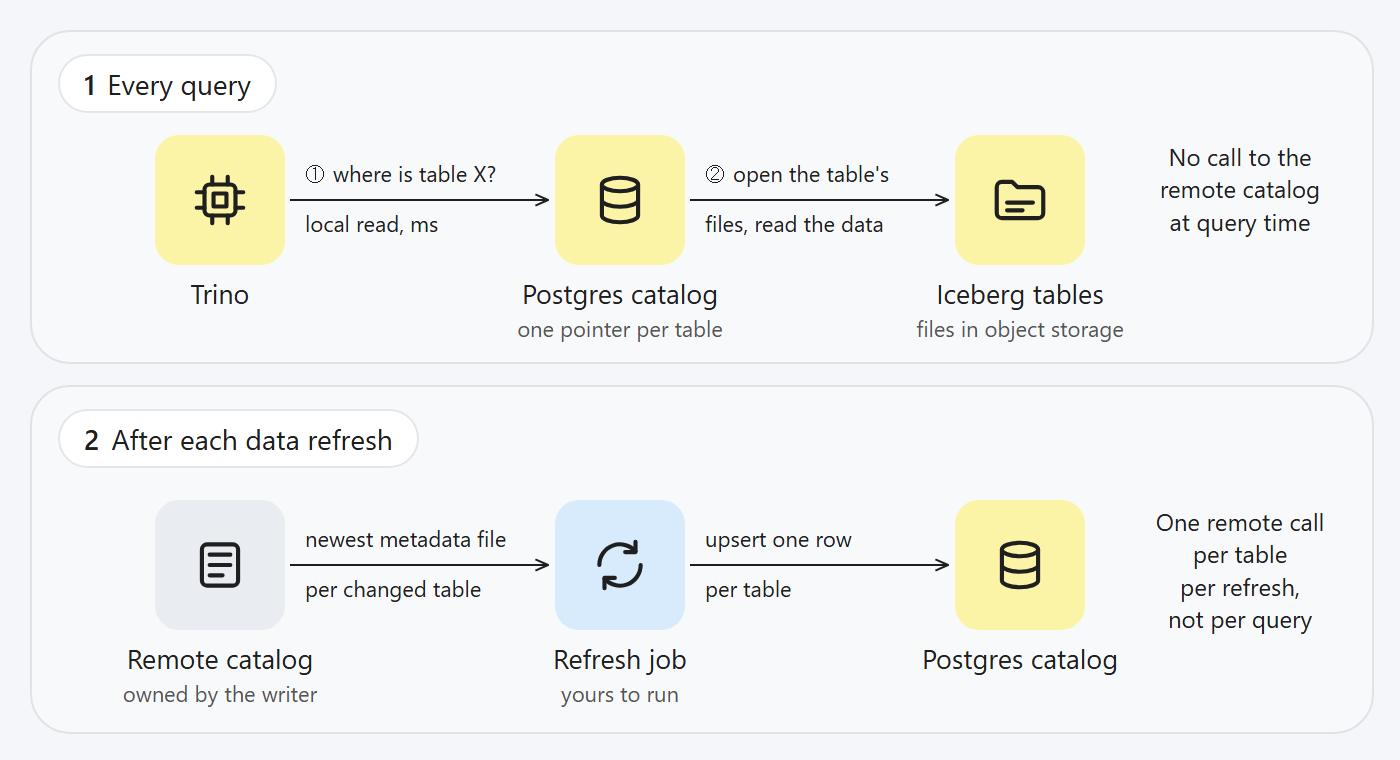
Query time reads local pointers; a small job keeps them current after each refresh.
1. Run Postgres next to Trino
Put both containers on one Docker network so Trino can reach Postgres by name, and don’t publish the Postgres port to the outside:
docker network create lakenet
docker network connect lakenet trino

docker run -d --name iceberg-pg --network lakenet --restart unless-stopped \
  -e POSTGRES_USER=iceberg -e POSTGRES_PASSWORD="$PG_PASSWORD" -e POSTGRES_DB=iceberg \
  -v iceberg-pg-data:/var/lib/postgresql/data postgres:16-alpine
2. Create the two catalog tables
Trino’s docs warn that the JDBC catalog needs its metadata tables to exist already. These are the two that Iceberg’s JDBC catalog uses:
CREATE TABLE iceberg_tables (
  catalog_name               VARCHAR(255) NOT NULL,
  table_namespace            VARCHAR(255) NOT NULL,
  table_name                 VARCHAR(255) NOT NULL,
  metadata_location          VARCHAR(1000),
  previous_metadata_location VARCHAR(1000),
  iceberg_type               VARCHAR(5),
  PRIMARY KEY (catalog_name, table_namespace, table_name)
);

CREATE TABLE iceberg_namespace_properties (
  catalog_name   VARCHAR(255) NOT NULL,
  namespace      VARCHAR(255) NOT NULL,
  property_key   VARCHAR(255),
  property_value VARCHAR(1000),
  PRIMARY KEY (catalog_name, namespace, property_key)
);
3. Add a second Trino catalog
Keep your existing catalog (I’ll call it lake) and add a new one, local, in etc/catalog/local.properties:
connector.name=iceberg
iceberg.catalog.type=jdbc
iceberg.jdbc-catalog.catalog-name=local
iceberg.jdbc-catalog.driver-class=org.postgresql.Driver
iceberg.jdbc-catalog.connection-url=jdbc:postgresql://iceberg-pg:5432/iceberg
iceberg.jdbc-catalog.connection-user=iceberg
iceberg.jdbc-catalog.connection-password=${ENV:PG_PASSWORD}
iceberg.jdbc-catalog.default-warehouse-dir=abfss://<container>@<account>.dfs.core.windows.net/unused
Then copy the storage settings from your lake catalog, so local reads the files with the same login. On Azure with a managed identity, that was three lines for me: fs.azure.enabled=true, azure.auth-type=DEFAULT and azure.user-assigned-managed-identity.client-id. The warehouse directory is required, but you won’t create tables there, so any path works. Restart Trino.
4. Find each table’s current metadata file
Every Iceberg table in Trino has a hidden $metadata_log_entries table. Its newest row is the current metadata file:
SELECT file
FROM lake.crm."account$metadata_log_entries"
ORDER BY timestamp DESC
LIMIT 1;
For a whole schema, list the tables from lake.information_schema.tables, then generate one of these per table and glue them with UNION ALL. My CRM schema had about 450 tables, so I ran them in batches of 50. Two Trino CLI details cost me time here: with --file, a statement without a final semicolon is silently skipped, and very long SQL piped through standard input gets cut. Copy the file into the container and use --file.
5. Register the tables
“Registering” is one insert per table, plus one row that marks the schema as existing:
INSERT INTO iceberg_namespace_properties
VALUES ('local', 'crm', 'exists', 'true')
ON CONFLICT DO NOTHING;

INSERT INTO iceberg_tables VALUES
  ('local', 'crm', 'account',
   'abfss://<container>@<account>.dfs.core.windows.net/crm/account/metadata/00001-....metadata.json',
   NULL, 'TABLE'),
  ('local', 'crm', 'opportunity',
   'abfss://<container>@<account>.dfs.core.windows.net/crm/opportunity/metadata/00001-....metadata.json',
   NULL, 'TABLE')
ON CONFLICT (catalog_name, table_namespace, table_name)
DO UPDATE SET metadata_location = EXCLUDED.metadata_location;
The upsert matters. It’s the same pattern I relied on for transaction ledgers in fintech: running the job twice gives the same result, so a retry after a failure is always safe. No Trino restart is needed after inserting rows.
Trino also has an official register_table procedure, switched on with iceberg.register-table-procedure.enabled=true (Iceberg connector docs). It does the same job one call at a time. I used plain inserts because the refresh step below is the same statement, and it doesn’t need an extra permission switched on in Trino.
6. Check before you trust it
Compare row counts, then compare real answers. I hashed the sorted output of each test query on both catalogs:
SELECT (SELECT count(*) FROM lake.crm.account)  AS via_remote,
       (SELECT count(*) FROM local.crm.account) AS via_local;
Then time the same query through both catalogs, a few runs each after a warm-up. My results:
- 4-table query: analysis 1.3 to 1.8 seconds through the remote catalog, 0.13 to 0.24 through Postgres. The whole query went from about 2 seconds to under one.
- 25-table query: analysis 12 to 15 seconds, down to 0.7 to 0.9. The whole query went from about 30 seconds to about 17; the rest was planning and execution.
7. Keep the pointers fresh
This is the part you now own. Every time the writer commits new data, each changed table gets a new metadata file, and Postgres still points at the old one. Trino then serves the previous version of the table, consistent but stale.
So after each data refresh, a small job repeats steps 4 and 5 for the tables that changed: read the newest file from the remote catalog and upsert it. That’s one remote call per table per refresh, instead of one per table per query. Trigger it from the writer’s “sync finished” notification if it has one, or on a schedule if it doesn’t. New tables need registering too, so diff the table list each time.
Watch the stale-pointer risk. Writers expire old snapshots and delete files they no longer need. If your job falls far enough behind, Postgres can point at a metadata file whose data files are gone, and queries fail instead of returning old data. Alert on job failures, not just on slow queries.
What to know before you rely on it
The Postgres database holds only pointers, a few kilobytes per hundred tables. Lose it and you rebuild it from the remote catalog in minutes, because the data never left the lake.
Trino’s docs also note that the JDBC catalog can have compatibility issues if Iceberg changes in the future, and that it doesn’t support materialized views. If you want precomputed tables, create plain tables with CREATE TABLE AS instead. They live in the same catalog, and you choose their storage location with the location table property.
The upstream fix is a client that caches table loads between queries, and the Iceberg project is working on freshness-aware table caching. Until that reaches Trino, a notebook of pointers is a cheap way to stop phoning head office for every address.
The catalog is just a list of addresses. Keep one close.
Muhammad Mairaj is a Senior Backend Engineer with 8 years building payment and data systems. He writes about data engineering, measured. More about him.